Personal peptide tracker
Every vial, every draw, every date.
PepDraw does the mixing math, keeps track of the vials in your fridge, and logs each dose you take.
Free during early access. Works in the browser and from your iPhone Home Screen.
How it works
Mix, plan, log.
01
Mix
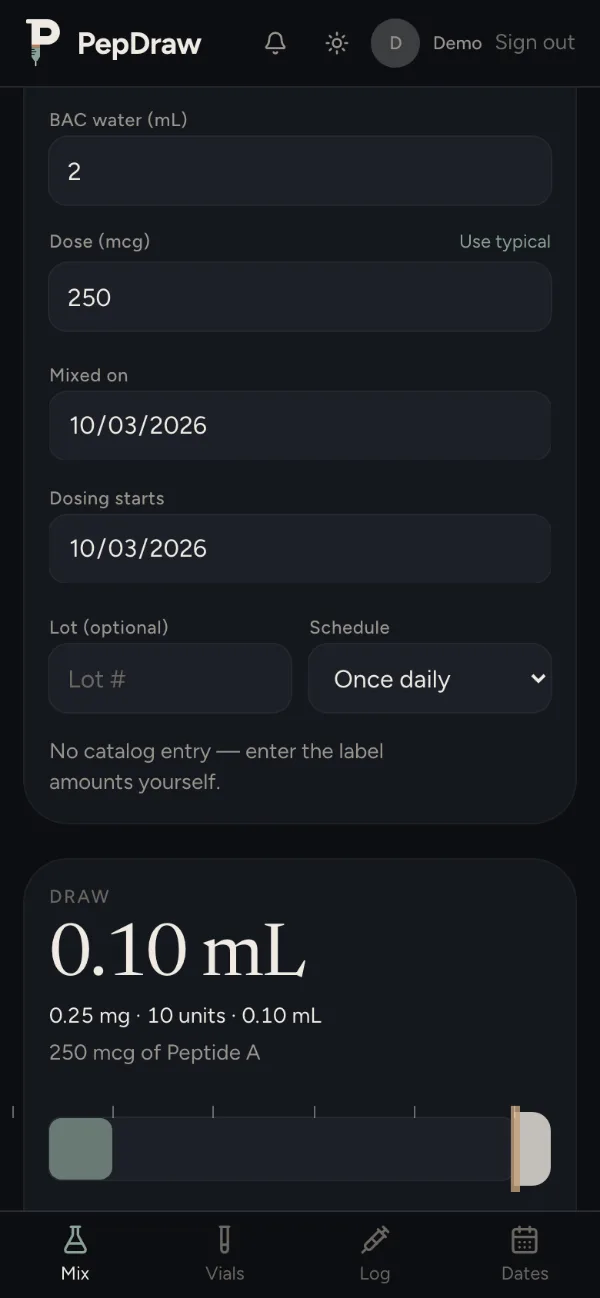
Enter the amount in the vial, the water you add and the dose you have decided on. PepDraw shows the draw in mL and syringe units, and the vial's beyond-use date.
02
Plan
Save the vial and give it a schedule. Dates shows what is planned each day and which vials are close to expiring.
03
Log
Log each dose with the time and injection site. Check-ins, health numbers and lab PDFs sit on the same day.
Features
What is in it.
Mixing calculator
Draw volume in mL and syringe units, shown on a syringe gauge. Handles blends and pre-mixed vials.
Vials
What is left in each vial, how many doses that covers, and when it expires.
Dates
A week strip and a month view of planned doses and beyond-use dates. Mark planned doses as logged.
Log
Every dose by day, with the time and site. Download it as a CSV.
Reminders
A daily notification at the time you pick, listing what is scheduled. On iPhone it comes from the Home Screen app.
Daily check-ins
Rate energy, sleep and appetite from 1 to 5, and add a note.
Health numbers and charts
Weight, resting heart rate, steps and sleep, typed in or imported from Apple Health or a CSV. Charted next to your check-ins.
Lab PDFs
Keep result PDFs on the day they were drawn, next to everything else.
Protocol links
Send someone a list of peptides, amounts and schedules as a link. They add it to their vials and set their own dates.
The app
Screens from PepDraw.
Shown with made-up demo data.
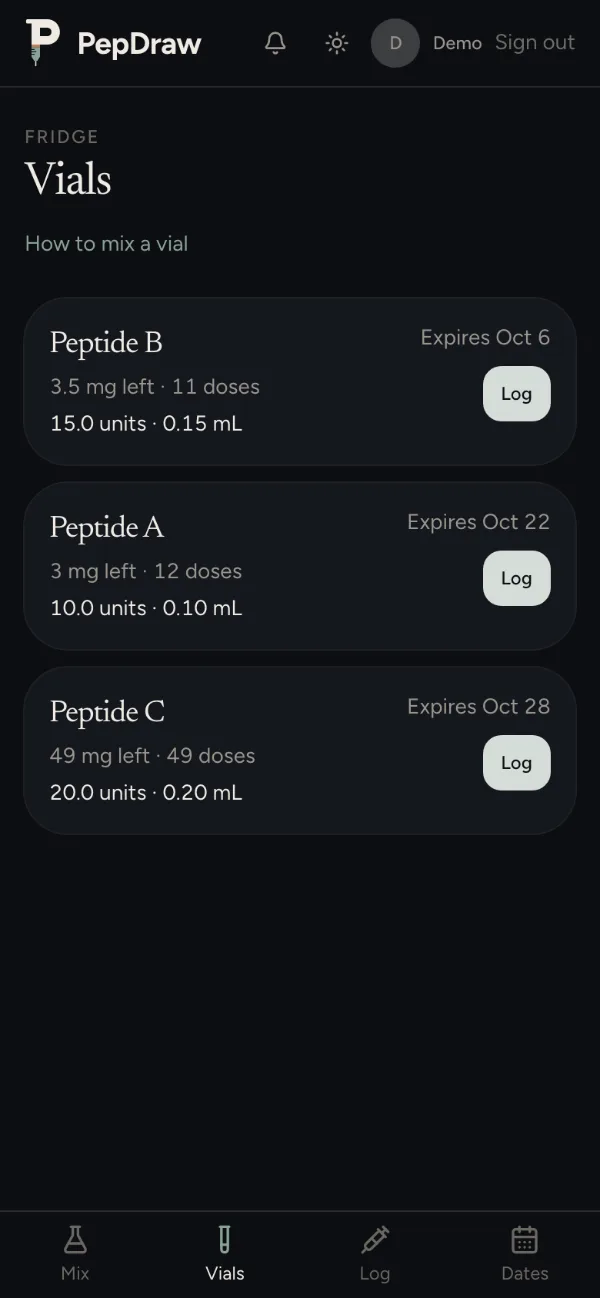
Vials: what is left, and when it expires. 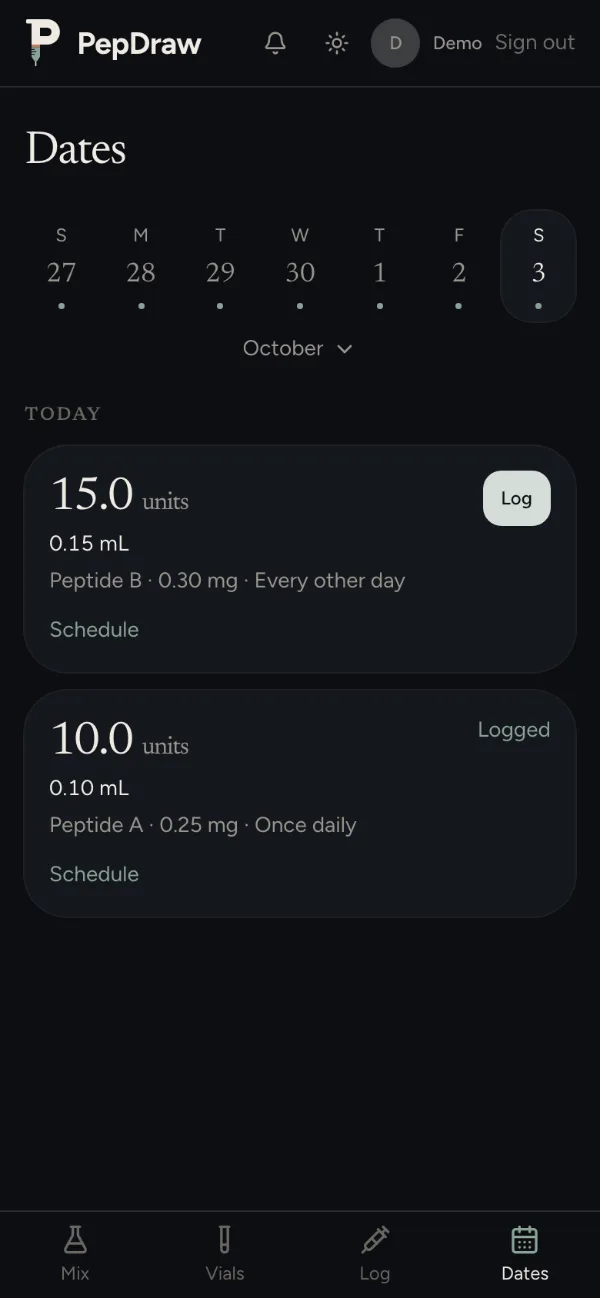
Dates: what is planned today. 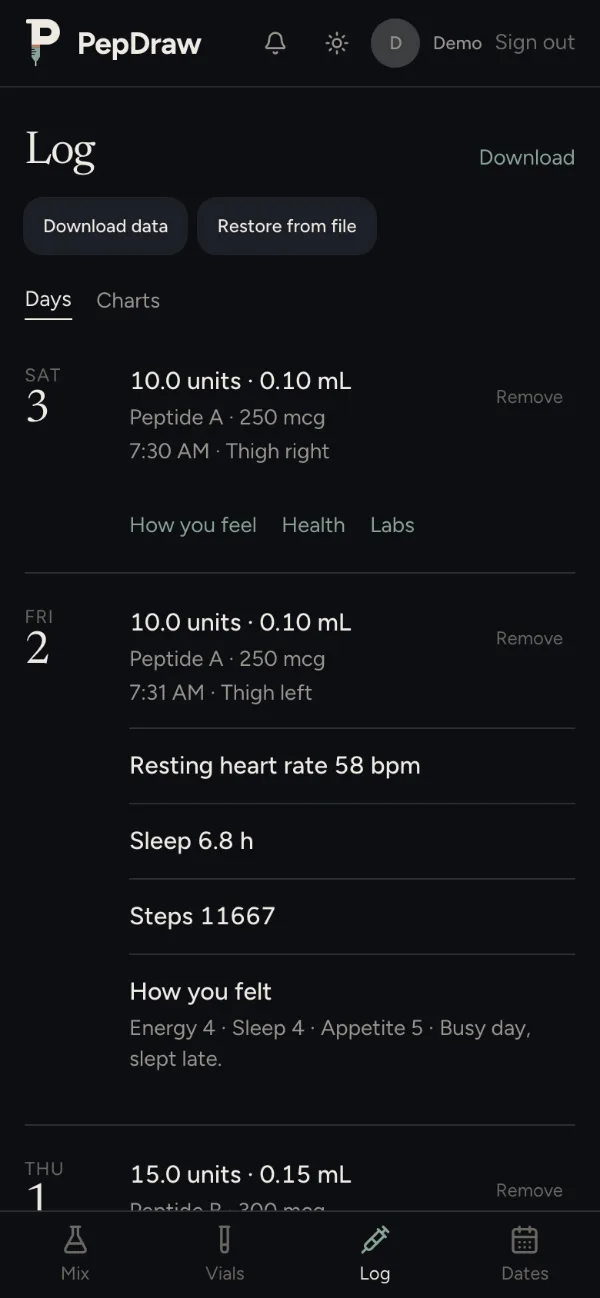
Log: doses, check-ins and health numbers by day. 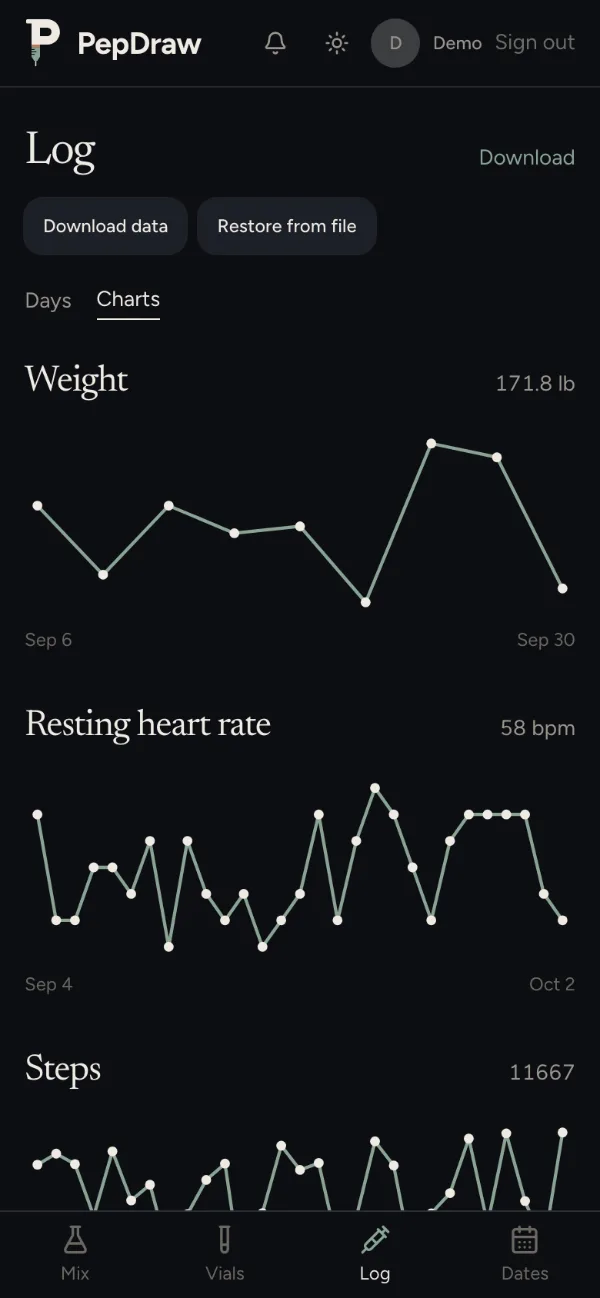
Charts: check-ins and health numbers over time.
Your data
Yours to take with you.
Your vials and log are tied to your account. You can save a copy whenever you like.
- Download your account
- Download data on the Log page saves your vials, doses, schedules, check-ins and health numbers to one file.
- Restore it
- Restore from file adds that file back to your account. Anything you already have is skipped, so restoring twice adds nothing new.
- Your log as a spreadsheet
- Download on the Log page gives you doses, check-ins, health numbers and lab entries as a CSV.
- Health imports are read on your device
- Apple Health exports are read in your browser. Only the daily numbers are saved.
Pricing
What it costs.
FAQ
Questions.
Is this medical advice?
No. PepDraw is a tracking tool. It does the arithmetic on the numbers you enter and keeps a record. It does not recommend peptides or doses. Decisions about what to take belong with you and a clinician.
Does it work on iPhone?
Yes. Open pepdraw.app in Safari, tap Share, then Add to Home Screen, and open PepDraw from that icon. On iPhone, reminders only arrive through the Home Screen app.
Can I export my data?
Yes. On the Log page, Download data saves your account to a file and Restore from file brings it back. Download saves your log as a CSV.
What does it cost?
It's free while PepDraw is in early access.
Do I need an account?
The calculator works without one. Saving vials, keeping a log and turning on reminders need an account.
Does it handle blends?
Yes. Build a blend from its parts, or enter a pre-mixed vial, and the calculator splits each draw by part.